How to transfer files between WSA and the PC?
APK Installer and Manager includes a file manager that allows you to upload, download and manage files on WSA.
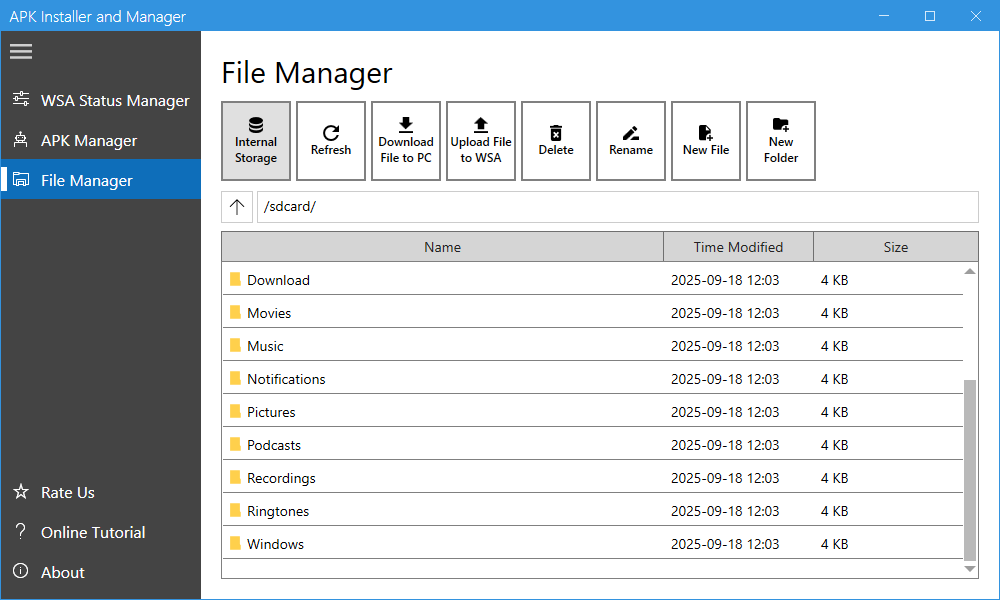
Download Files from WSA: Select (check) the files that you want to download, click the “Download File to PC” button, and choose the destination folder. The download process will begin. and once completed, the destination folder will open automatically.
Upload Files to WSA: Click the “Upload File to WSA”, select the files you want to upload, and click the “Open” button. The upload process will then begin.
Delete Files: Select (check) the files you want to delete and click the “Delete” button.
Rename a File: Select (check) a file that you want to rename, click the “Rename” button and enter a new name.
New File: Click the “New File” button and enter a file name.
New Folder: Click the “New Folder” button and enter a folder name.
E-mail Support
If you have any further questions or feed-backs about the app, please feel free to reach out to us by email. We are here to listen and help.