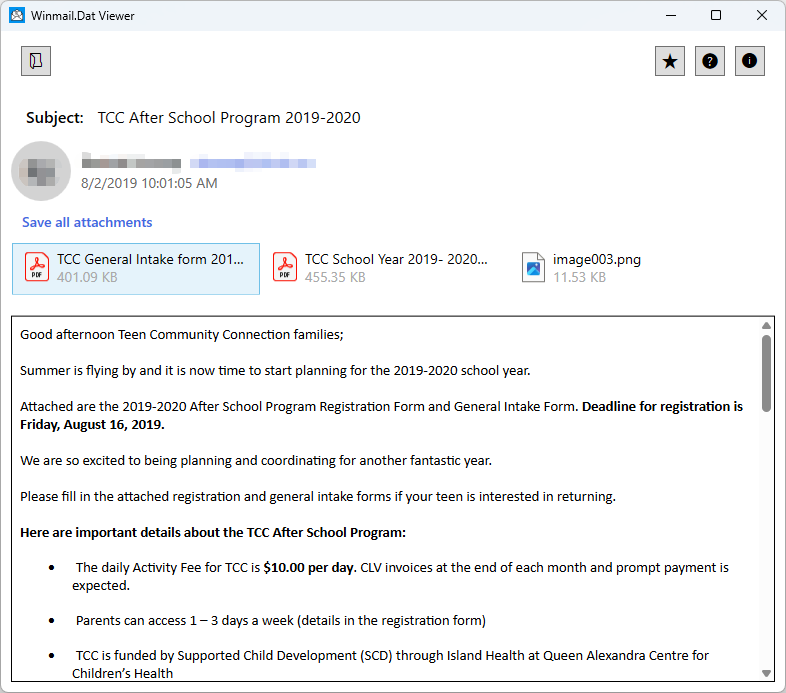
What is a winmail.dat File?
A winmail.dat file (sometimes appearing as ATT00001.dat) is a proprietary format created by Microsoft Outlook and Microsoft Exchange Server.
It happens when someone sends an email using Outlook’s “Rich Text Format” (RTF) instead of standard HTML or Plain Text.
When Outlook sends a Rich Text email, it wraps all of the special formatting (like bold text, custom fonts, colors, and embedded tables) along with any actual attached files (like PDFs, Word docs, or images) into a single container file called winmail.dat.
- If the recipient also uses Outlook, their email client knows exactly how to decode this container. The email looks normal, and any attached files appear correctly.
- If the recipient uses a different email client (like Windows Mail, Gmail, Apple Mail, Thunderbird, or an Android/iOS mail app), those programs do not understand Microsoft’s proprietary encoding. Instead of showing the formatted email, they just display a regular plain text message and attach the unreadable
winmail.datfile.
How to Open and View its Contents?
Open your file in Winmail.dat Viewer using one of three simple methods:
1, Click Open File in the top-left corner.
2, Drag and drop the file into the app interface.
3, Click Browse file to locate it on your machine.